Security & trust
HTTPS, insecure content, privacy policy, favicon and an up-to-date footer.

Tools › W24 Site Check-up
 W24 Site Check-up · Chrome extension
Site Check-up checks the website you are on for speed, mobile, SEO, security and how easily visitors can contact the business, then gives you a score out of 100 and a PDF you can send.
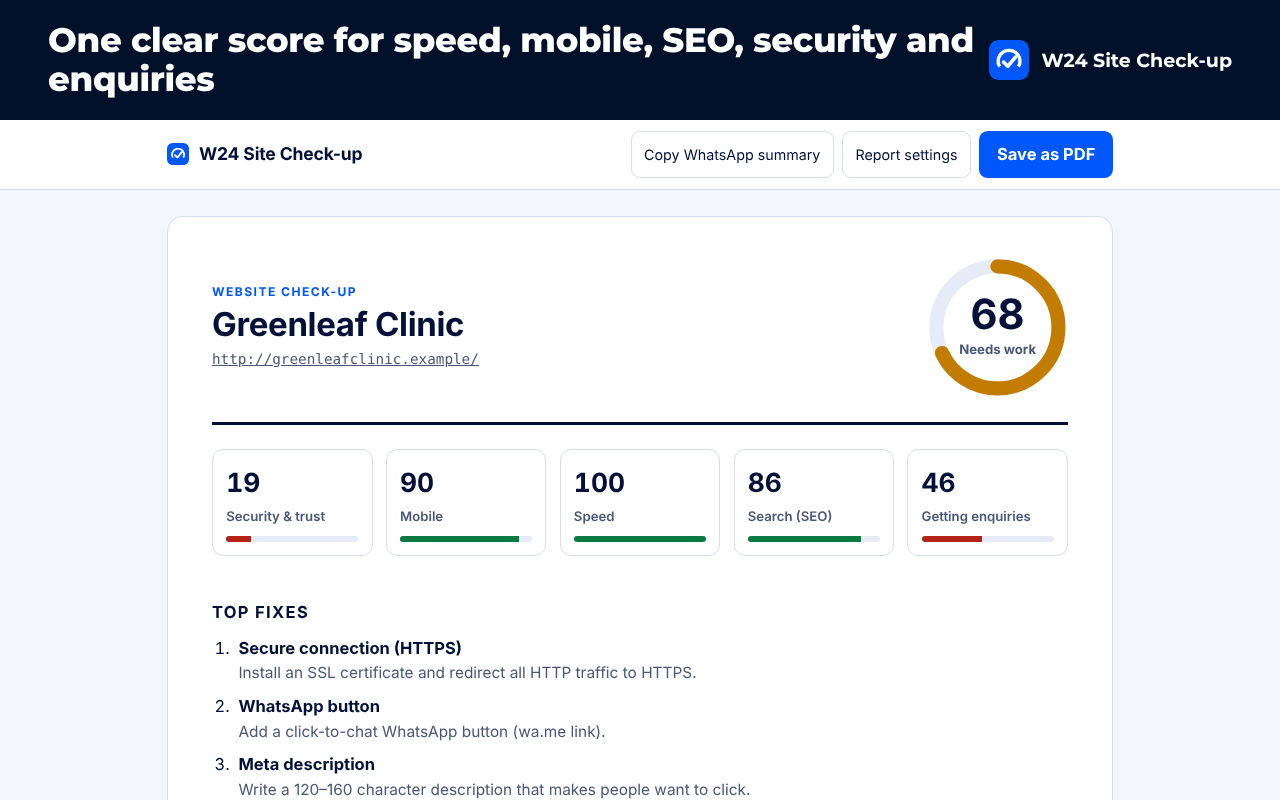
HTTPS, insecure content, privacy policy, favicon and an up-to-date footer.
Mobile viewport, readable text size and tap-to-call phone numbers.
Main content load time (LCP), server response, page weight and layout shifts from your visit.
Title, description, H1, alt text, schema, sitemap, robots.txt, social preview and broken links.
WhatsApp button, enquiry form, call to action, Google Maps listing, social links and analytics.
Top 5 fixes, every finding in plain words, PDF export, WhatsApp summary and your own name and offer.
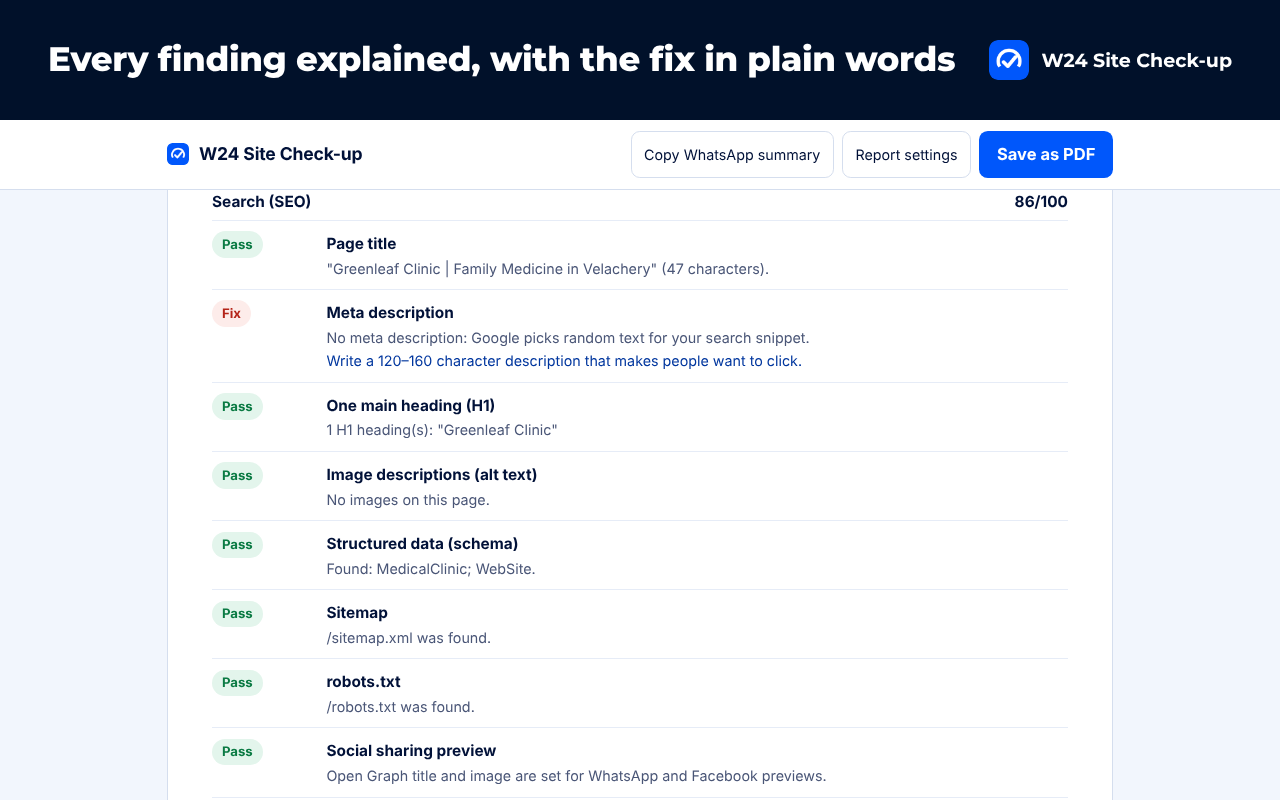
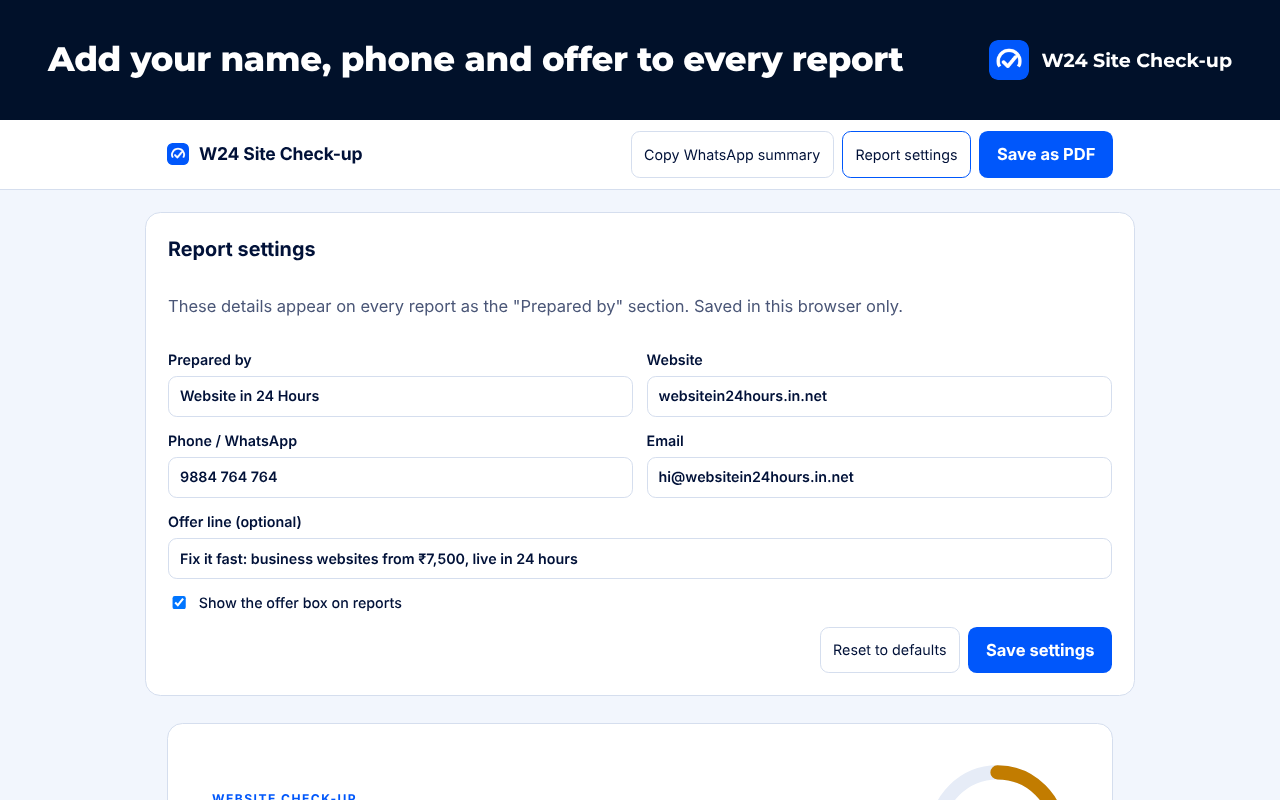
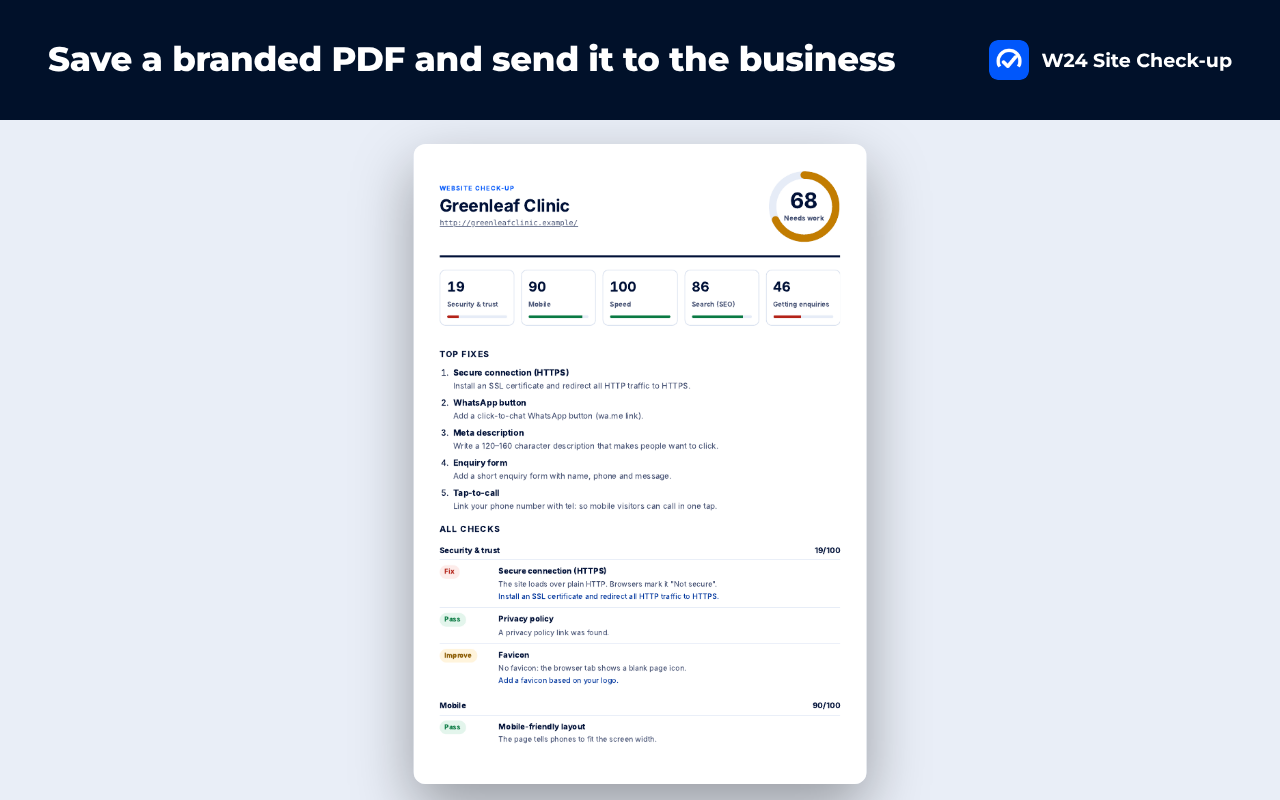
Screens show the extension running on demo pages.
No. The check runs in your browser on the page you are viewing, and reports are saved only in your browser.
Speed comes from your own visit, so it depends on your network, device and whether the page was cached. Run it twice for a fair picture.
Yes. Open Report settings and enter your name, website, phone, email and an optional offer line.
Need help? Visit support · Read the privacy policy.